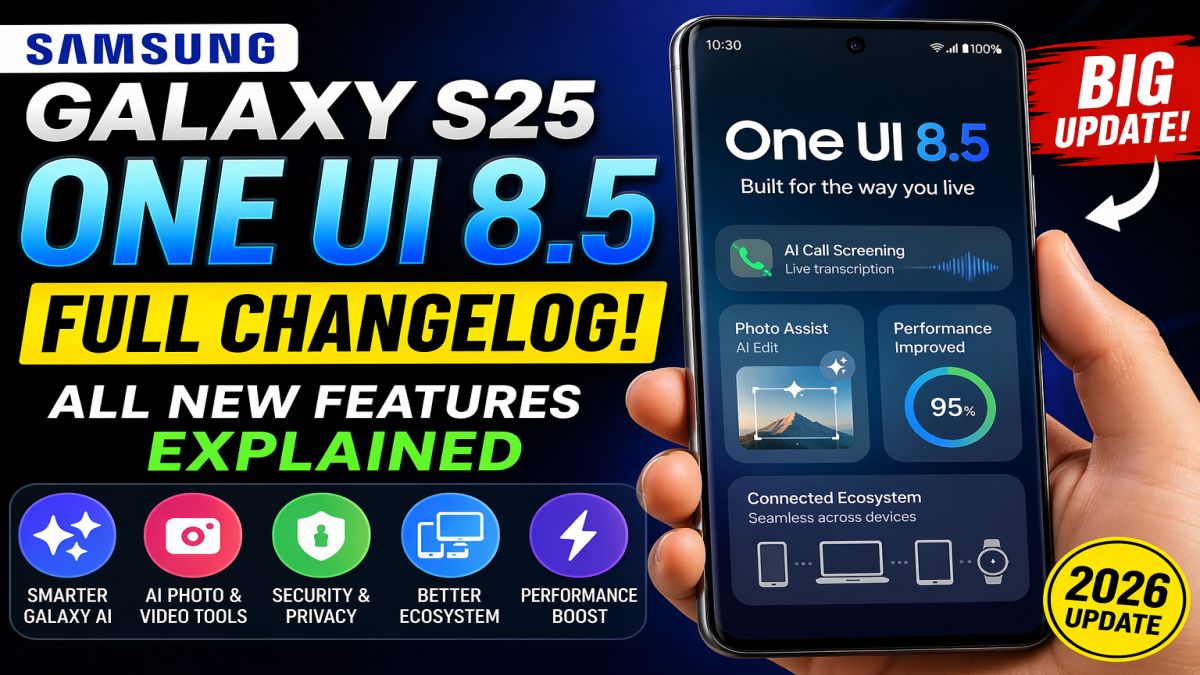
Samsung Galaxy S25 One UI 8.5 Update: Samsung continues to refine its flagship software experience with every new release, and the arrival of One UI 8.5 for the Samsung Galaxy S25 series marks one of the most significant mid-cycle updates in recent years.
Unlike a minor patch update, One UI 8.5 brings a combination of design refinements, AI-powered upgrades, performance improvements, and ecosystem enhancements that make the Galaxy experience smoother and more intelligent than ever before.
In this detailed guide, we break down everything new in One UI 8.5 so you can understand exactly what changes after updating your device.
Introduction: Why Samsung Galaxy S25 One UI 8.5 Update
Samsung’s One UI updates are known for improving usability while adding new intelligent features. However, One UI 8.5 is special because it sits between a major UI release and a full version upgrade.
This means Samsung is using this update to:
- Polish system animations and UI design
- Improve Galaxy AI capabilities
- Strengthen device security
- Enhance cross-device ecosystem features
- Fix performance inconsistencies reported in earlier builds
For Galaxy S25 users, this update feels less like a patch and more like a refined version of the operating system built for daily use efficiency.
Table of Contents
🎨 1. Refined UI Design and Visual Experience
One UI 8.5 introduces a noticeable visual refresh that makes the interface feel more modern and fluid.
🔹 What’s New in Design:
- Smoother transitions between apps
- Enhanced blur effects for a premium glass-like look
- More consistent icon alignment across menus
- Improved spacing for better readability
- Cleaner Quick Settings panel layout
Samsung has focused heavily on reducing visual clutter. The result is a UI that feels more organized and less overwhelming, especially for users who frequently multitask.
🔹 Lock Screen Improvements:
- More adaptive clock positioning
- Better widget placement
- Improved notification visibility
- Dynamic wallpaper effects with smoother animation
Overall, One UI 8.5 delivers a more premium and cohesive visual identity compared to earlier versions.
🤖 2. Galaxy AI Becomes Smarter and More Useful
The biggest highlight of this update is the evolution of Samsung’s AI system.
One UI 8.5 enhances Galaxy AI in multiple real-world use cases, making your phone more proactive and intelligent.
📞 AI Call Features:
- Automatic call screening for unknown numbers
- Real-time transcription of phone calls
- Suggested replies during conversations
- Spam detection with improved accuracy
This feature alone makes daily communication safer and more efficient.
💬 Smarter Assistant Behavior:
Samsung’s assistant now understands natural language more effectively:
- “Turn on power saving at 20% battery”
- “Show me photos from last week”
- “Open my last downloaded file”
No strict commands required—just normal conversation.
🌍 Live Translation Upgrades:
- Faster language recognition
- Improved voice clarity during translation
- More stable performance in noisy environments
These improvements are especially useful for travelers and multilingual users.
🧠 3. AI-Powered Photo and Video Editing Tools
Samsung continues to compete strongly in AI-based content creation tools.
One UI 8.5 expands editing capabilities directly inside the gallery app.
🖼️ Photo Editing Enhancements:
- Advanced object removal tool with higher precision
- AI background reconstruction after removal
- Ability to edit using text prompts
- Example: “make sky sunset”
- Example: “remove people in background”
- Better lighting and shadow adjustment
🎥 Video Editing Improvements:
- Smarter auto-cut suggestions
- Improved timeline editing accuracy
- Enhanced slow-motion and stabilization processing
- Better export quality with reduced compression artifacts
These tools turn the Galaxy S25 into a powerful mobile editing device for creators, vloggers, and social media users.
⚡ 4. Performance Improvements and Optimization
One UI 8.5 is not just about new features—it also focuses heavily on system optimization.
🔹 Speed Improvements:
- Faster app launch times
- Reduced lag during multitasking
- More stable animation frame rates
- Improved touch responsiveness
🔹 Battery Optimization:
- Better background app management
- Reduced idle battery drain
- Smarter power distribution during gaming
- Adaptive charging improvements
🔹 Gaming Performance:
- More stable GPU performance
- Reduced overheating in long sessions
- Optimized frame rate stability in high-end games
Users upgrading from One UI 8.0 or earlier will notice a clear improvement in overall smoothness.
🔐 5. Security and Privacy Enhancements
Samsung has strengthened its security framework in One UI 8.5.
Key improvements include:
- Enhanced theft detection system
- Stronger Secure Folder encryption
- Improved app permission tracking
- Better protection against unauthorized login attempts
The system now also provides clearer privacy dashboards, allowing users to understand how their data is being accessed.
🔗 6. Galaxy Ecosystem Integration
Samsung is continuing to build a deeply connected ecosystem across devices.
New improvements:
- Faster and more stable Quick Share transfers
- Cross-device clipboard synchronization
- Seamless app continuation between phone and tablet
- Better Galaxy Watch integration for health data syncing
This creates a smooth experience for users who own multiple Samsung devices.
🎛️ 7. Customization and User Control
One UI has always been known for customization, and version 8.5 takes it further.
New customization options:
- Fully editable Quick Settings panel
- Resizeable toggles and shortcuts
- More widget flexibility on home screen
- Enhanced one-handed mode usability
- Better theme consistency across system apps
Samsung clearly aims to give users more control without complicating the experience.
📊 8. Real-World Experience: What Users Will Notice
After updating, Galaxy S25 users can expect:
- A noticeably smoother UI experience
- Faster multitasking and app switching
- Improved battery performance during daily usage
- Smarter AI suggestions in apps and settings
- A more polished and premium look overall
The update does not completely redesign the system, but it significantly improves the feel and usability of the device.
❓ FAQs About One UI 8.5
Q1: Is One UI 8.5 a major update?
It is a mid-cycle update, but it includes major improvements in AI, design, and performance.
Q2: Will it slow down my Galaxy S25?
No. In fact, it improves performance and optimization.
Q3: Does it improve battery life?
Yes, through better background management and adaptive power control.
Q4: Is Galaxy AI required to use these features?
No, but AI features enhance the experience significantly.
Q5: Should I update immediately?
Yes, as long as your device has enough storage and backup is completed.
🧾 Final Verdict
The One UI 8.5 update for the Galaxy S25 series is a highly polished upgrade that focuses on making the phone smarter, smoother, and more efficient.
While it may not completely reinvent the interface, it delivers meaningful improvements in:
- User experience
- AI integration
- Performance stability
- Security
- Ecosystem connectivity
For Galaxy S25 users, this update is definitely worth installing.
इन्हें भी पढ़ें:
- Windows 11 Storage Full Fix (100% Working) – Fix Unknown Space Issue 2026
- UGREEN Video Capture Card (Best Overall) – Full Review 2026
- Best Budget Capture Card in India 2026 (₹500–₹2000) – Complete Guide for YouTubers & Gamers