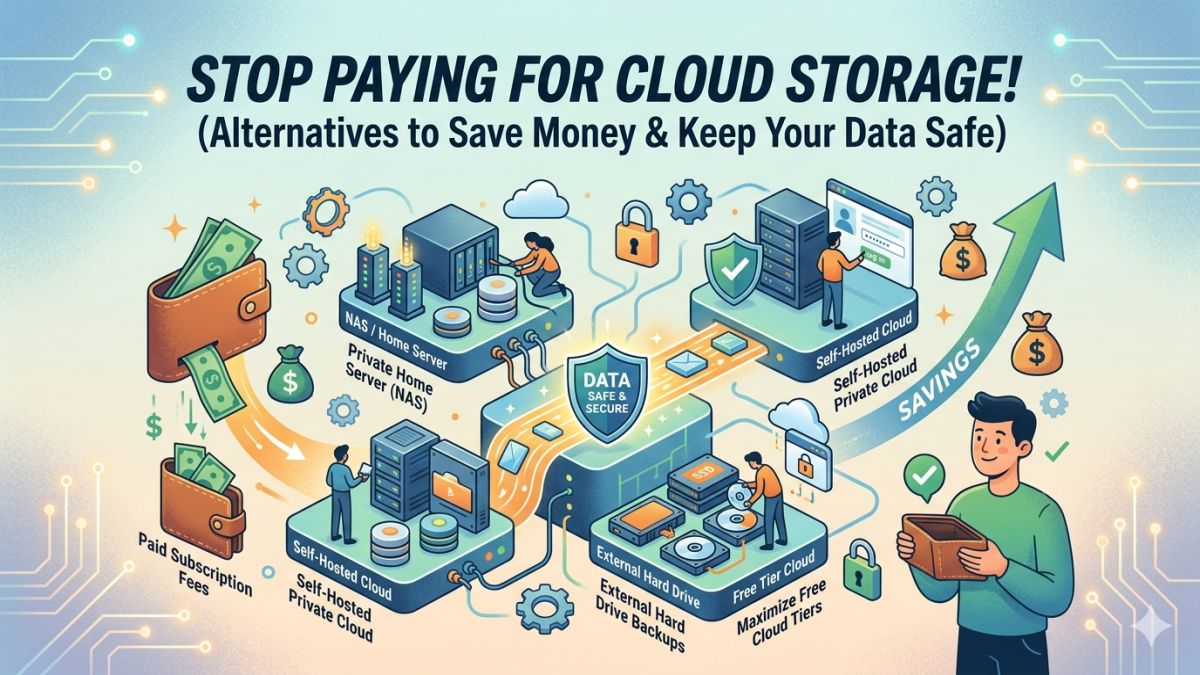
Cloud storage services like Google Drive, Dropbox, and iCloud have become a normal part of daily life. From photos and videos to work documents and backups, most people now store their important files online. While cloud storage is convenient, the monthly or yearly subscription costs quickly add up over time.
There’s also the issue of privacy, internet dependency, and the risk of data breaches. Fortunately, there are several reliable alternatives that let you store your files securely without depending entirely on third-party cloud providers.
In this guide, we’ll explore the best cloud storage alternatives that can help you save money, improve privacy, and maintain full control over your data.
Why You Should Consider Alternatives to Cloud Storage
Cloud storage is useful, but it comes with drawbacks that many users ignore until it becomes a problem.
1. Ongoing Subscription Costs
Most cloud services offer limited free storage. Once you exceed the free limit, you must pay monthly or annual fees. Over several years, these costs often become much higher than buying your own storage device.
For example:
- 2TB cloud plans can cost thousands of rupees annually
- Long-term subscriptions may exceed the price of multiple external drives
- Family plans become expensive over time
With local storage solutions, you pay once and keep using the device for years.
2. Privacy Concerns
When you upload files to the cloud, your data is stored on someone else’s servers. Even trusted companies can experience:
- Data breaches
- Unauthorized access
- Account lockouts
- Tracking and analytics
Keeping files on your own devices gives you more control over your personal information.
3. Internet Dependency
Cloud storage requires internet access for syncing and downloading files. Slow internet speeds can make accessing large files frustrating.
Offline storage solutions let you access your files anytime without relying on Wi-Fi or mobile data.
Best Alternatives to Cloud Storage
Here are the top alternatives you can use instead of paying for cloud storage subscriptions.
1. External SSDs and HDDs
External drives remain one of the easiest and most affordable ways to store files.
External SSDs
SSDs (Solid State Drives) are:
- Fast
- Portable
- Durable
- Silent
They are perfect for:
- Photo libraries
- Video editing projects
- Gaming backups
- Work files
A 1TB or 2TB SSD can store years of data and usually costs less than several years of cloud subscriptions.
External HDDs
Traditional hard drives (HDDs) are cheaper and offer larger capacities.
They are ideal for:
- Movies
- Large archives
- Long-term backups
If you need several terabytes of storage, HDDs provide excellent value.
Benefits of External Drives
- One-time purchase
- No monthly fees
- Full control of data
- Fast file transfers
- Works offline
Drawbacks
- Can fail if damaged
- Easy to lose if not backed up
- Manual backups may be required
2. USB Flash Drives
USB flash drives are still useful for quick and portable storage.
Modern USB drives now offer:
- High speeds
- Compact designs
- Large capacities
- USB-C support
They’re great for:
- Carrying documents
- Emergency backups
- Sharing files between devices
For better security, always encrypt sensitive files stored on flash drives.
3. Personal Cloud Drives
Personal cloud drives combine the convenience of cloud storage with the privacy of local storage.
Popular options include:
- Western Digital My Cloud
- Synology BeeStation
- TerraMaster Personal Cloud
These devices automatically sync files across your devices while keeping everything stored at home instead of on external servers.
Why Personal Clouds Are Popular
They offer features similar to Google Drive or Dropbox, including:
- Automatic photo backup
- Remote access
- Mobile apps
- File syncing
- Shared folders
The difference is that you own the hardware and control your data.
Advantages
- Better privacy
- No recurring subscription
- Accessible from anywhere
- Easy setup
Disadvantages
- Higher upfront cost
- Requires home internet setup
- Limited by your network speed
4. Network Attached Storage (NAS)
A NAS system is one of the best long-term alternatives to cloud storage.
A NAS is essentially a dedicated storage server connected to your home network.
Popular NAS brands include:
- Synology
- QNAP
- UGREEN NASync
- Asustor
Why NAS Devices Are Powerful
NAS systems can:
- Store massive amounts of data
- Automatically back up files
- Stream media
- Host personal cloud services
- Support multiple users
Many advanced users replace cloud services completely using a NAS setup.
Benefits of Using NAS
Automatic Backups
Your files sync automatically across devices.
Data Redundancy
Many NAS systems support RAID configurations, meaning your data remains safe even if one drive fails.
Media Streaming
Apps like Plex let you create your own Netflix-style streaming server for movies, music, and TV shows.
Remote Access
You can securely access files from anywhere in the world.
Should You Build Your Own NAS?
Tech enthusiasts often build custom NAS systems using:
- Mini PCs
- Old desktop computers
- Raspberry Pi boards
- DIY server hardware
This approach can save money while offering better customization.
However, beginners may prefer ready-made NAS devices for easier setup and maintenance.
How to Keep Your Data Safe Without Cloud Storage
If you stop using cloud storage, you should follow proper backup practices.
Follow the 3-2-1 Backup Rule
Experts recommend:
- Keep 3 copies of your data
- Store data on 2 different devices
- Keep 1 backup in another location
For example:
- Main computer
- External SSD backup
- Additional drive stored safely elsewhere
Encrypt Your Storage Devices
Always encrypt drives containing sensitive data.
Encryption helps protect:
- Personal photos
- Financial records
- Password databases
- Work documents
Most modern operating systems include built-in encryption tools.
Cloud Storage vs Local Storage: Which Is Better?
| Feature | Cloud Storage | Local Storage |
|---|---|---|
| Monthly Fees | Yes | No |
| Offline Access | Limited | Full |
| Privacy | Lower | Higher |
| Setup Difficulty | Easy | Moderate |
| Remote Access | Excellent | Possible |
| Long-Term Cost | Expensive | Affordable |
The best choice depends on your priorities.
If you value convenience above all else, cloud storage may still work well. But if you want better privacy, lower costs, and more control, local storage solutions are excellent alternatives.
Final Thoughts
Cloud storage services are convenient, but they are not the only option. External drives, USB flash drives, personal cloud systems, and NAS devices provide powerful alternatives that can save money and improve privacy over time.
With today’s technology, setting up your own storage system is easier than ever. Whether you choose a simple external SSD or a full NAS setup, you can reduce dependence on subscription-based cloud services while keeping complete control over your data.